
SIM Information Checker | Mobile Number Verification
SIM Information platform designed for quick access, simple navigation, and a smooth user experience with updated mobile verification resources.
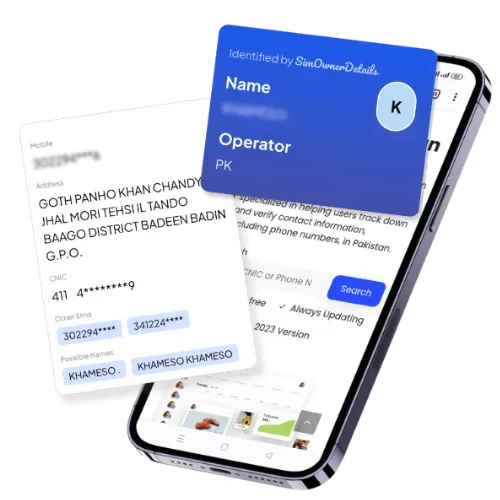
SIM Information – The Complete Guide to SIM Types, Registration, and Technical Details in Pakistan
Last updated: 28 July 2026 | Reviewed against PTA’s current SIM registration framework and operator-published eSIM and network data.
“SIM Information” is a broad search phrase, and depending on what a reader actually needs, it can point in several directions: technical facts about SIM card types and network codes, the legal requirements for registering a SIM against a CNIC, or a way to find out details about a specific SIM. This page is built to cover the technical and regulatory side of “SIM information” in full — what a SIM actually is, how registration works in Pakistan, what documents and steps are involved, and how the different SIM formats and technologies (physical, eSIM, prepaid, postpaid) differ from one another. If what you actually need is to check which SIMs are registered under your own CNIC right now, that specific process lives on our Live Tracker page — this page is the reference guide behind that process.
This resource is published as part of SIM Owner Details, where our editorial focus is Pakistani telecom-verification literacy, built entirely around PTA’s official regulatory framework rather than any unofficial data source.
What “SIM Information” Actually Covers
A SIM (Subscriber Identity Module) is the small chip — physical or embedded — that identifies a specific subscriber to a mobile network and links that connection to a CNIC under PTA’s regulatory system. When people search “SIM information,” they’re usually looking for one or more of the following:
- Technical details — SIM card sizes, network prefixes, prepaid vs. postpaid distinctions, and eSIM specifics.
- Registration information — what’s legally required to activate a new SIM in Pakistan, and which documents are needed.
- Ownership and verification information — how a SIM connects to a specific CNIC, and how that connection is checked or changed.
- Troubleshooting information — what to do about a lost SIM, a SIM that needs re-verification, or one that needs to be transferred or replaced.
This guide addresses each of these categories in turn, with direct references to the deeper resources on this site (Live Tracker for personal verification, Pak SIM Data for national statistics, and CNIC Information for identity-document specifics) rather than duplicating that content here.
SIM Card Types Used in Pakistan
Physical SIM cards in Pakistan are issued in three standard sizes, and understanding which one your device needs is often the first practical “SIM information” question a new subscriber has:
| SIM Format | Typical Use | Notes |
|---|---|---|
| Standard (Mini-SIM) | Older feature phones | Largest of the three physical formats, rarely issued for new activations today |
| Micro-SIM | Mid-generation smartphones (roughly 2010–2014 era devices) | Smaller cut-down version of the standard SIM |
| Nano-SIM | Most current smartphones | The standard size issued for the vast majority of new activations today |
| eSIM | Modern flagship smartphones | Embedded, non-removable; provisioned digitally via QR code rather than a physical card |
Most Pakistani franchises today issue a punch-out SIM card that can be popped into standard, micro, or nano size depending on the tray, so a single physical card typically covers all three older formats. eSIM is provisioned separately and is covered in its own section below.
eSIM Availability in Pakistan (2026 Update)
eSIM adoption in Pakistan has expanded significantly. As of 2026, Jazz was the first operator in the country to introduce eSIM and continues to support it across both prepaid and postpaid plans, generally without a conversion fee. Zong also offers eSIM through a straightforward QR-code activation process at its service centers, typically for a small conversion charge. Ufone, now operating as the merged Ufone 5G network following its 2026 integration with Telenor, supports eSIM for both prepaid and postpaid customers as well.
A notable recent development: Telenor Pakistan’s operations merged into PTML (Ufone) in July 2026, with former Telenor subscribers being migrated onto the combined Ufone 5G network. If you’re researching “SIM information” for a Telenor number specifically, be aware that account management, eSIM conversion, and support for that number are transitioning to Ufone 5G’s systems as part of this merger — check with either brand’s helpline for the current status of your specific account during this transition period.
To use an eSIM, your device needs to support the technology — generally iPhone XS and newer, Samsung Galaxy S20 and newer (including recent Fold and Flip models), and Google Pixel 3 and newer. Activation typically requires visiting a service center in person with your original CNIC, completing biometric verification exactly as you would for a physical SIM, and receiving a QR code that provisions the eSIM directly onto your device.
Prepaid vs. Postpaid: Core SIM Information Differences
| Feature | Prepaid | Postpaid |
|---|---|---|
| Payment structure | Pay before use (recharge/load) | Billed monthly after use |
| Registration requirement | CNIC + biometric verification | CNIC + biometric verification, often with additional documentation for higher credit limits |
| Typical user | General consumer market | Business users, higher-usage individuals |
| Number retention | Can lapse after extended inactivity per operator policy | Requires active billing account to retain the number |
| Package flexibility | Daily/weekly/monthly bundles, self-selected | Fixed monthly plans, sometimes with add-ons |
Both prepaid and postpaid connections go through the identical CNIC-linked biometric registration process — the payment model doesn’t change the underlying regulatory requirement that every SIM be tied to a verified national identity document.
Network Codes and Number Prefixes: Identifying a SIM’s Operator
One of the most searched pieces of “SIM information” is simply: which network does this number belong to? Pakistan’s numbering plan assigns specific prefix ranges to each operator:
| Prefix Range | Operator |
|---|---|
| 0300–0309, 0320–0329 | Jazz |
| 0310–0319, 0370–0379 | Zong |
| 0330–0339 | Ufone (now Ufone 5G, including migrated Telenor numbers) |
| 0340–0349 | Telenor (legacy numbers, migrating to Ufone 5G) |
| 0350, 0351, 0355 | SCO (Azad Kashmir & Gilgit-Baltistan) |
These prefix ranges are a quick, reliable way to identify a number’s home network before making a call or sending an SMS-based verification request — for example, before running the 668 live tracker check described on our Live Tracker page, it helps to already know which operator you’re checking against.
SIM Registration Requirements in Pakistan
PTA’s SIM registration framework requires the same core elements regardless of which operator or SIM format is involved:
- A valid, original CNIC (or NICOP for overseas Pakistanis, or a valid passport with visa for foreign nationals).
- Live biometric verification — a fingerprint scan taken at the point of sale, matched in real time against NADRA’s database.
- In-person presence — registration cannot be completed remotely; the subscriber must be physically present at a franchise or authorized retailer.
- Compliance with the five-SIM cap — the system will reject a new registration if the applicant’s CNIC already has five active connections across all networks.
Foreign nationals and tourists follow a modified process: a valid passport and visa are used in place of a CNIC, and the SIM is typically issued for a limited validity period tied to the visa duration, after which it requires renewal or re-verification.
Step-by-Step: How New SIM Registration Actually Works
- Visit any authorized franchise or retail outlet of your chosen network with your original CNIC (photocopies alone are not accepted for new activation).
- The retailer enters your CNIC number into the operator’s registration terminal, which cross-checks it against NADRA’s database in real time.
- You complete a live fingerprint scan on a biometric verification device at the counter.
- Once your fingerprint matches your CNIC record, the system activates the new SIM and links it to your CNIC immediately.
- You receive a confirmation SMS on the new number confirming successful registration.
- The new SIM now appears instantly in PTA’s live systems — meaning if you ran a 668 SMS check moments later, it would already show up in your results.
This immediacy is worth noting: SIM information about your registration isn’t batch-processed overnight, it reflects in PTA’s live systems the moment the biometric match succeeds.
Re-Verification: Keeping Your SIM Information Current
PTA periodically requires subscribers to complete biometric re-verification to keep older SIMs active — a safeguard against outdated or fraudulently obtained registrations persisting indefinitely. When you receive a re-verification SMS or notice, the process mirrors new registration: visit a franchise, present your CNIC, and complete a fresh biometric scan. SIMs that aren’t re-verified within the notice period are subject to temporary suspension until the process is completed, which is one more reason keeping your own SIM information up to date protects against unexpected service interruption.
Transferring SIM Ownership (Change of CNIC)
If you’ve acquired a used SIM and want it registered under your own CNIC rather than the previous owner’s, PTA’s ownership-transfer process requires both the current registered owner and the new owner to be physically present at a franchise, along with both original CNICs. Both parties complete biometric verification, and the operator processes the transfer, after which the SIM’s registration updates to reflect the new CNIC. This is a distinct process from simply inserting someone else’s SIM into your phone — legal ownership only transfers through this formal, biometric-verified franchise process, not through informal handover.
Blocking or Replacing a Lost SIM
If a SIM is lost or stolen, the fastest first step is contacting your operator’s helpline (Jazz: 111, Zong: 310, Telenor: 345, Ufone: 333) to have the number temporarily blocked, preventing anyone else from using it. Once blocked, visiting a franchise with your original CNIC allows you to have a replacement SIM issued on the same number, carrying over your existing registration rather than requiring a fresh activation.
Corporate and Bulk SIM Registration Information
Businesses registering multiple SIMs for employees follow a modified corporate registration process, in which the company is registered as an authorized bulk purchaser with PTA, and individual employee CNICs are still biometrically verified against each assigned SIM — the five-SIM personal cap and biometric requirement are not waived for corporate connections, only the purchasing and billing arrangement differs.
Overseas Pakistanis and NICOP SIM Information
NICOP holders follow the identical biometric registration requirement as CNIC holders when physically present in Pakistan. For overseas Pakistanis who cannot visit a franchise in person, PTA’s live tracker web portal (cnic.sims.pk, covered in depth on our Live Tracker page) remains accessible for checking existing registrations remotely, even though new SIM activation itself still requires in-person biometric verification at a franchise.
The Legal Framework Behind SIM Information in Pakistan
SIM registration and the information tied to it are governed primarily through PTA’s regulatory directives and the Prevention of Electronic Crimes Act (PECA) 2016, which criminalizes unauthorized SIM issuance, identity fraud in registration, and unauthorized disclosure of subscriber data. This is the same legal backbone referenced throughout our Live Tracker and Pak SIM Data pages — every technical detail in this guide exists within that same regulatory boundary, and no legitimate SIM information service in Pakistan operates outside it.
Common SIM Information Errors and How to Resolve Them
- “My new SIM won’t activate.” Usually a biometric mismatch at the point of sale — return to the same franchise to re-attempt the fingerprint scan rather than assuming the SIM itself is faulty.
- “I can’t register a new SIM even though I don’t think I have five active ones.” Run a live tracker check first (see our Live Tracker page) to confirm your actual count before assuming a system error.
- “My SIM stopped working after a re-verification notice.” This typically means the notice period lapsed without completing biometric re-verification — visiting a franchise resolves it directly.
- “I bought a used phone and the SIM inside shows someone else’s name.” Use the 667 MNP check (covered on our Live Tracker page) to confirm this, then have the SIM formally transferred to your own CNIC through the ownership-transfer process described above rather than continuing to use it under someone else’s registration.
How SIM Information Connects to the Rest of This Site
This page is the technical and regulatory reference point; two related resources go deeper on specific angles:
- For the national-level statistics behind SIM registration — total subscribers, operator market share, and teledensity — see our Pak SIM Data page.
- For details specifically about the CNIC itself — its structure, validity, and how it functions as the anchor identity document for every SIM described on this page — see our CNIC Information page.
- To check exactly which SIMs are currently registered under your own CNIC in real time, see our Live Tracker page.
And if you’re new to the site, our SIM Owner Details homepage is the best starting point for understanding every official PTA verification option available to Pakistani citizens in one place.
SIM Information vs. Device (IMEI) Information: A Common Mix-Up
“SIM information” and “device information” get confused frequently, so it’s worth separating them clearly. Your SIM’s information — network, registration status, CNIC linkage — is entirely independent of your phone’s IMEI (International Mobile Equipment Identity), which identifies the physical handset rather than the subscriber. PTA maintains a separate system (DIRBS) for checking whether a phone’s IMEI is registered and tax-compliant for use on Pakistani networks, distinct from anything covered on this page. If you’re trying to confirm whether a phone itself — rather than the SIM inside it — is legitimately usable in Pakistan, that’s an IMEI/DIRBS question, not a SIM registration question, even though both are checked at the same PTA-regulated layer of the telecom system.
A Brief History of SIM Registration Policy in Pakistan
SIM registration in Pakistan wasn’t always biometric. Early mobile registration relied on submitted CNIC copies without any live verification step, which left significant room for SIMs to be registered against someone else’s identity using nothing more than a photocopied document. Following security concerns in the mid-2010s, PTA mandated a nationwide re-verification drive requiring every existing SIM to be re-confirmed through live biometric fingerprint matching against NADRA’s database, with unverified connections blocked after the compliance deadline passed. That shift is the direct reason today’s “SIM information” landscape works the way it does: every new registration, re-verification, and ownership transfer described on this page runs through the same biometric checkpoint, precisely because the older copy-based system proved too easy to exploit.
Security Practices Around Your SIM Information
Because a SIM is effectively a key to your phone number — and, through mobile banking, potentially your finances — a few practical habits go a long way:
- Never share your CNIC copy without knowing exactly why it’s needed. Most fraudulent SIM registrations trace back to a leaked photocopy rather than a stolen physical card.
- Set a SIM PIN where your device supports it. This adds a layer of protection if your physical SIM is removed and inserted into another device.
- Report a lost SIM immediately, not after a delay. The window between losing a SIM and blocking it is when unauthorized calls, SMS-based fraud, or OTP interception are most likely to occur.
- Be cautious with SIM swap requests. Any request to “reissue” or “swap” your SIM that didn’t originate from you is a strong signal of an attempted account takeover — legitimate SIM replacement always requires your own in-person presence and biometric verification, never a phone-only or remote request.
- Periodically confirm your registration is current. A live tracker check (see our Live Tracker page) is the fastest way to confirm nothing has changed on your CNIC’s record without your knowledge.
Glossary: Key SIM Information Terms
- SIM (Subscriber Identity Module) — the chip, physical or embedded, that identifies a subscriber to a mobile network.
- eSIM — an embedded, non-removable SIM provisioned digitally via a QR code rather than a physical card.
- IMEI — the unique identifier for a physical handset, checked separately from SIM registration through PTA’s DIRBS system.
- Biometric re-verification — a periodic fingerprint-based reconfirmation that a SIM’s registration remains valid and current.
- MNP (Mobile Number Portability) — the framework allowing a number to move between networks while keeping the same digits; also repurposed as the keyword for PTA’s 667 registration check.
- NICOP — National Identity Card for Overseas Pakistanis, accepted identically to a CNIC for SIM registration purposes.
- Five-SIM cap — PTA’s regulatory limit of five active connections per CNIC across all networks combined.
Frequently Confused SIM Information Terms
- “SIM Information” vs. “SIM Owner Details” — SIM Information (this page) covers the technical and regulatory facts about SIMs generally; SIM Owner Details refers to the broader verification service and homepage covering how an individual checks their own record.
- “SIM Information” vs. “SIM Database” — a database implies a searchable record system for many individuals, which does not exist as a public lookup product; SIM information, by contrast, refers to general facts anyone can learn (types, codes, requirements) without accessing anyone’s personal record.
- “Re-verification” vs. “New registration” — re-verification reconfirms an existing SIM’s biometric match on file; new registration creates that record for the first time. Both use the same fingerprint-matching mechanism but serve different purposes.
Who This SIM Information Guide Is For
- First-time SIM buyers who want to understand the registration process, required documents, and what to expect at a franchise counter before visiting one.
- Anyone switching to eSIM who wants to confirm device compatibility and current operator pricing before converting from a physical SIM.
- Used-phone or used-SIM buyers who want to understand the ownership-transfer process before relying on a SIM registered to someone else.
- Small business owners setting up multiple connections who need to understand how corporate registration differs from individual registration.
- Anyone confused by SIM-related terminology — prepaid vs. postpaid, SIM vs. IMEI, re-verification vs. new registration — who wants a single reference page rather than piecing definitions together from scattered sources.
What to Bring to a Franchise: A Practical Checklist
Whether you’re registering a new SIM, converting to eSIM, re-verifying an existing connection, or transferring ownership, a bit of preparation avoids a wasted trip:
- Your original CNIC (not a photocopy) — no registration, re-verification, or transfer step accepts a copy in place of the original document.
- A working alternate contact number, if possible, in case the franchise needs to reach you after the visit for any follow-up.
- Both parties present, for a transfer — remember that ownership transfer specifically requires the current registered owner and the new owner to attend together with both original CNICs.
- A compatible device on hand, for eSIM conversion — the QR code provisioning step happens on the spot, so bring the exact phone that will use the eSIM rather than registering in advance.
- Patience for the biometric step — fingerprint matching occasionally requires more than one attempt, particularly for manual laborers or older CNIC holders whose fingerprint patterns can be harder for the scanner to read cleanly; this is normal and not a sign of a registration problem.
About This Page’s Editorial Process
This SIM Information guide is compiled and maintained by the SIM Owner Details editorial team, drawing on PTA’s published registration requirements together with current, operator-confirmed details on eSIM pricing, device compatibility, and network changes such as the 2026 Telenor–Ufone integration. We test and re-check the technical claims on this page periodically rather than treating a single source as permanently authoritative, since operator-level details (like eSIM conversion fees) shift more often than PTA’s core regulatory requirements do. Nothing on this page asks for your CNIC, phone number, or any personal identifier — it exists purely as a reference guide, with every personal-verification action routed to the appropriate dedicated page on this site.
Editorial Standards and Sources
This page is maintained by the SIM Owner Details editorial team and reviewed against PTA’s published SIM registration requirements, along with current operator-level information on eSIM availability and network mergers. We do not sell, expose, or process subscriber data ourselves — everything described here is either general technical/regulatory information or a pointer to PTA’s own official verification systems. If you notice a detail that has changed — a new eSIM fee, an updated merger timeline, or a modified registration requirement — please let us know via our Contact Us page so we can correct it promptly.
SIM Information — Quick Reference Summary
- SIM formats: Standard, Micro, Nano (physical), and eSIM (digital, QR-provisioned).
- eSIM support (2026): Jazz, Zong, and Ufone 5G (including migrated Telenor numbers) all support eSIM.
- Registration requirement: original CNIC/NICOP/passport + live biometric fingerprint match, in person only.
- Five-SIM cap: maximum 5 active connections per CNIC across all networks.
- Ownership transfer: requires both parties present with original CNICs and fresh biometric verification.
- Lost SIM: block via operator helpline first, then replace at a franchise with your CNIC.
- Check your own registered SIMs: see our Live Tracker page for the 668/667/web-portal methods.
Bookmark this page as your reference for SIM types, registration rules, and technical details — and pair it with our Live Tracker page whenever you need to check your own live registration status.
SIM Information – Frequently Asked Questions
Common questions about SIM types, registration, and technical details in Pakistan. Learn more on the SIM Owner Details homepage, see national statistics on our Pak SIM Data page, or read about the identity document behind every SIM on our CNIC Information page.
Pakistani operators issue Standard, Micro, and Nano physical SIM sizes, usually as a single punch-out card covering all three, plus eSIM for supported devices.
Jazz, Zong, and Ufone 5G (which now includes migrated Telenor numbers following the 2026 merger) all support eSIM for prepaid and postpaid users.
An original CNIC (or NICOP for overseas Pakistanis, or a passport and visa for foreign nationals) plus live biometric fingerprint verification at the point of sale.
Each operator is assigned specific prefix ranges — for example 0300–0309 and 0320–0329 for Jazz, 0310–0319 and 0370–0379 for Zong, and 0330–0339 for Ufone. Checking the prefix quickly identifies the network.
No. Both go through the identical CNIC-linked biometric verification process; only the billing structure differs, not the registration requirement itself.
Both the current registered owner and the new owner must visit a franchise together with their original CNICs and complete biometric verification for the ownership transfer to be processed.
The SIM is subject to temporary suspension once the notice period lapses without re-verification. Visiting a franchise and completing a fresh fingerprint scan resolves it.
No. SIM information relates to the subscriber and CNIC linkage, while IMEI identifies the physical handset and is checked separately through PTA's DIRBS system.
Yes, through a corporate bulk-registration arrangement with PTA, though each individual employee CNIC is still biometrically verified against its assigned SIM, and the five-SIM personal cap still applies.
Contact your operator's helpline immediately to have the number blocked, then visit a franchise with your original CNIC to get a replacement issued on the same number.
 SIM OWNER DETAILS